
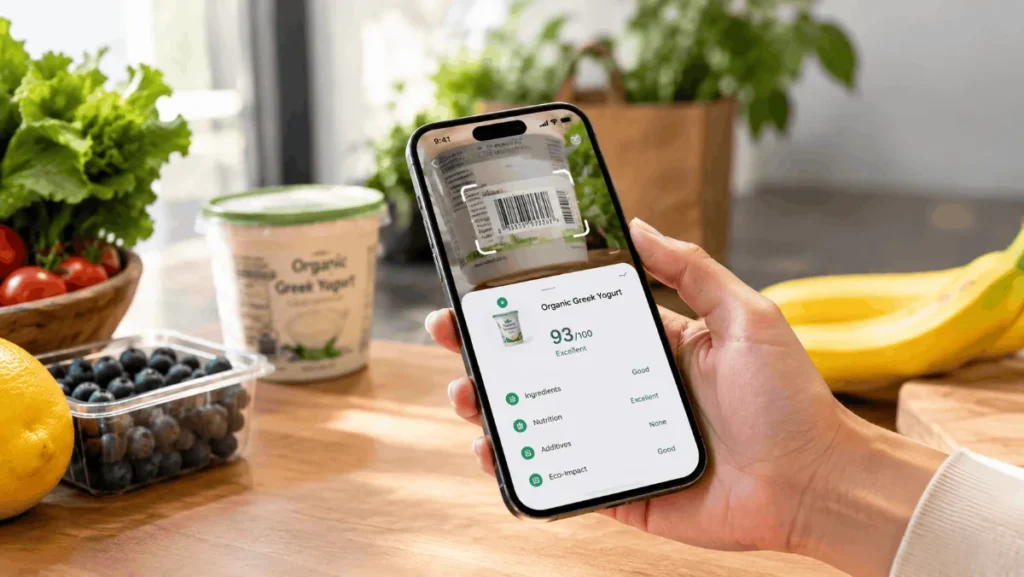

Yuka is a free mobile app that scans the barcode on a food or cosmetic product and gives it a 0 to 100 score, color-coded from green to red. If a product scores poorly, the app suggests similar items with better scores. It is meant to give shoppers a quick read on a label, and it is not a substitute for medical or dietary advice.
Who makes Yuka and how big it is
Yuka is published by Yuca SAS, a company based in Paris, with a US subsidiary. According to its 2026 press kit, the app launched in France in January 2017 and added cosmetics in June 2018. It reported 80 million users across 12 countries by January 2026, and says the United States became its largest market in October 2025. These are the company’s own figures.
How the food score works
Yuka’s terms and conditions describe the food score as three weighted parts:
| Component | Weight | What it measures |
|---|---|---|
| Nutritional quality | 60% | Based on Nutri-Score, which looks at calories, sugar, salt, saturated fat, protein, fiber, and fruit and vegetable content |
| Additives | 30% | Whether the product contains additives Yuka rates as risky |
| Organic | 10% | A bonus for products with an official organic label |
One rule overrides the weights. If a product contains an additive Yuka rates as “at risk” (a red dot), its score is capped at 49 out of 100.
The overall labels are “excellent” (75 and above), “good” (50 to 75), “mediocre” (25 to 50) and “bad” (below 25). Yuka’s terms say these words describe the score only, not whether a product is safe to eat. A “bad” rating doesn’t mean a product is unfit for consumption.
How cosmetics are scored
For cosmetics, Yuka reviews the full ingredient list. Each ingredient gets one of four risk levels: at risk (red), moderate (orange), low (yellow) or no risk (green). The app does not judge whether an ingredient works. A moisturizer can score well and still do little for your skin, which is worth remembering if you’re browsing skincare options.
What the app recommends and who pays for it
When you scan a poorly rated product, Yuka suggests alternatives. Its terms say the suggestions are chosen by product category, availability and score, and that brands cannot pay to appear. Yuka also says it shows no ads and does not sell user data.
The company says it is funded mainly by its paid Premium tier. Those are Yuka’s own statements about its independence, and I haven’t audited them.
Free vs. Premium
Scanning and scores are free. Premium is a yearly subscription that, per Yuka’s help center, starts at $10 in the US. It’s a sliding scale, and the price is chosen at purchase. Yuka’s terms list three Premium features:
- Offline mode, which covers only a selection of the most frequently scanned products
- Search, so you can look up a product without scanning it
- Food preferences, which flag ingredients you want to avoid, such as palm oil or gluten
Subscriptions renew automatically after a year unless you cancel by the day before renewal, according to the terms.
Where Yuka falls short
Yuka’s own terms are unusually frank about this. The app is a quick screen, and several limits are worth knowing.
Additives are scored on presence, not amount. In a World Cancer Research Fund review of the app, a WCRF nutritionist explained that Yuka can’t tell how much of an additive a product contains. A trace amount lowers the score the same way a large amount would. The reviewer found a vegetable stock cube scored 9 out of 100 because of MSG, even though the nutritionist said the typical amount is too small to worry about. The nutritionist also said overall diet matters far more than any single additive.
The organic bonus can blur “organic” and “healthy.” Because organic certification adds up to 10% of the score, an organic product can edge ahead of a conventional one with a better nutrition profile.
Data can be wrong. Yuka’s database combines manufacturer-supplied data with user contributions. The company says its error rate is below 1% overall, but that is its own claim, and its terms admit errors can occur and tell users to check the packaging.
It isn’t for allergies or medical diets. The terms say the app provides no medical advice and that the food preferences feature shouldn’t be used by people with severe allergies. They also warn the content may not suit anyone who has experienced an eating disorder. If that applies to you, talk to a doctor or dietitian before using any scoring app for food choices.
Who should use it
Yuka is best for comparing similar products in the aisle, such as two jars of pasta sauce or two cereals. Treat the score as a prompt to read the label, then weigh the details yourself. For a broader view of what to eat, Headlinza’s nutrition coverage is a better starting point than any single score.
The practical takeaway: try the free version for a week on products you already buy. If a low score surprises you, tap through to the additive explanation before changing anything.