
The iPhone Air is Apple’s ultra-slim model, with a titanium frame and a single rear camera set into a raised plateau. You can read the full spec history on its Wikipedia page, but the practical takeaway is simple: it’s thin, light, and a little more worrying to drop than a thicker phone.
In my experience, owners of very slim devices tend to fall into two camps. One group wants the case to disappear, and the other wants maximum drop protection and doesn’t care what it looks like. Both are reasonable, and knowing which camp you’re in saves a lot of returns.
One more thing worth flagging is fit. Cases made for other iPhone models won’t fit, and some listings use confusing names like “iPhone 17 Air.” The phone is called the iPhone Air, so confirm the exact model before buying.
Types of iPhone Air Case
Bumper cases protect the edges and leave the back exposed. Apple’s own iPhone Air Bumper uses reinforced polycarbonate and keeps more of the phone visible, though reviewers note it leaves the camera plateau exposed. It’s the choice if you love how the phone looks.
Thin full-coverage cases wrap the back and sides. Apple’s iPhone Air Case with MagSafe is reported to be about 0.9 mm thick, with built-in magnets, responsive buttons, and support for Camera Control. The material is polycarbonate, a tough, lightweight plastic that’s common in slim cases.
Ultra-thin cases go further. Peel’s case is listed at just 0.07 inches, and brands like Totallee, Thinborne and Bare Case focus on near-invisible profiles. They’re great for pockets and feel, and they offer only modest drop protection.
Rugged cases pile on layers. The OtterBox Defender series has an iPhone Air version, and UAG makes a Plasma XTE with a built-in kickstand. Expect more bulk and a much heavier phone.
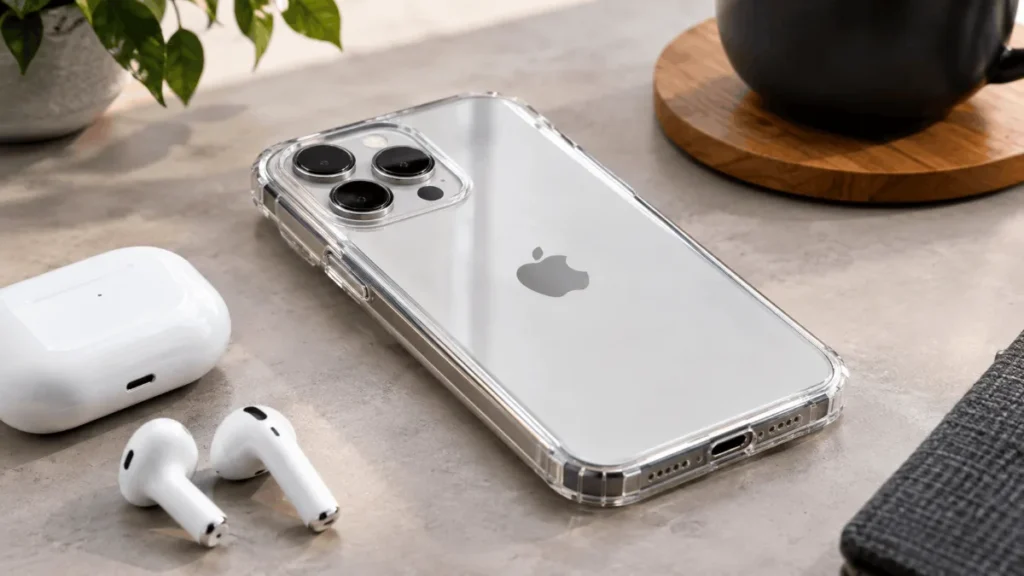
Clear cases show off the phone’s color. Casetify, dbrand, Totallee, and Ghostek all list clear versions, many with MagSafe support.
Quick Comparison
| Style | Protection | Bulk | Best for |
|---|---|---|---|
| Bumper | Edges only | Very low | Keeping the original look |
| Thin MagSafe case | Everyday scuffs and moderate drops | Low | Most people |
| Ultra-thin | Light | Minimal | Minimalists and pocket carriers |
| Rugged | High | High | Clumsy users and outdoor work |
| Clear | Moderate | Low to medium | Showing off the color |
What to Look For in an iPhone Air Case
Camera protection matters more than usual because of the raised plateau. A case with a raised lip around the camera helps keep the lens from touching a table. If a case leaves the camera flush with the back, expect scratches over time.
MagSafe support matters if you use chargers, wallets or mounts. MagSafe relies on magnets that need a good connection, so cases that include their own magnet ring tend to perform better than thick non-magnetic ones. Apple has also built a MagSafe battery pack specifically for the iPhone Air, so check whether your case plays nicely with it.
Look for a cutout or a pass-through button for Camera Control, and make sure the other buttons click easily. Mushy buttons are annoying for months.
Finally, check thickness and grip. A slippery thin case on a slippery thin phone is a recipe for drops, so a bit of texture on the sides helps more than people expect.
Which Case Fits Which Person
If you want the safest bet, Apple’s own MagSafe case is designed for this phone, fits precisely, and keeps the thin profile. It isn’t the cheapest, and it isn’t the toughest, but it’s the least likely to cause compatibility headaches.
If you love the look of the phone, the Apple bumper or a clear case will let the design show. The bumper costs less, but it won’t protect the back. Pair either with a screen protector for better coverage.
If you’re hard on phones, go rugged. I’d rather carry a thicker phone than pay for a cracked screen, and the Air is thin enough that even a Defender-style case won’t feel like a brick. If you work outdoors or have kids, this is the one.
If you want the phone to feel almost naked, an ultra-thin case in the 0.07-inch range is the way. Accept that it’s a scuff shield, not a bodyguard.
Mistakes That Waste Money
Buying a case sight unseen is the big one. Fit, button feel, and camera cutouts vary a lot between brands, so read reviews with photos and check the return policy.
Skipping the screen protector is another. Most cases don’t protect the display, and the screen is usually what breaks. Tempered glass is cheap insurance.
People also forget about clear cases yellowing. Over time, some clear plastics discolor from sunlight and skin oils, so if you want the look to last, check what the manufacturer says about anti-yellowing treatments.
And don’t assume thicker means safer. A poorly designed rugged case can trap dirt, and a case with weak corners can fail on the first hard drop.
Taking Care of Your Case
Wipe it down occasionally with a damp cloth, and take the phone out now and then to clear grit that gets trapped. Dirt under a case can scratch the phone’s back and frame.
Replace the case if it cracks, loses its grip, or stops holding magnets. Worn cases give you a false sense of security, and they’re far cheaper than a repair.
My Recommendation
For most people, a thin MagSafe case like Apple’s own or a reputable third-party equivalent is the right balance. It keeps the Air thin, fits properly, and handles ordinary life. If you’re clumsy, step up to a rugged case. If you’re a minimalist who treats your phone gently, go ultra-thin or bumper.
Prices vary and change often, so compare current listings from Apple and trusted retailers before buying. And since the phone’s accessories keep evolving, it’s worth checking Apple’s site for the latest official options.