





Best Rugged USB Flash Drive Picks for 2026
Rugged USB flash drive If you want the toughest option and don’t need blazing speed, the Corsair Flash Survivor Stealth is the one to get. If you need real hardware encryption for sensitive files, the Kingston IronKey D500S is worth the extra money. And if speed matters as much as durability, SanDisk’s Extreme Pro line hits a solid middle ground.
What “Rugged” Actually Means Here
Before getting into specific drives, it’s worth being honest about what these ratings mean in practice. A lot of listings throw around “waterproof” and “shockproof” without saying to what degree, and that gap matters more than people realize.
The drives worth trusting usually list specific numbers. Waterproof to 200 meters. Shock-resistant to a stated drop height. Rated for a specific temperature range. If a listing just says “durable” with no numbers behind it, treat that as a yellow flag rather than a selling point.
Best Overall Rugged Pick: Corsair Flash Survivor Stealth
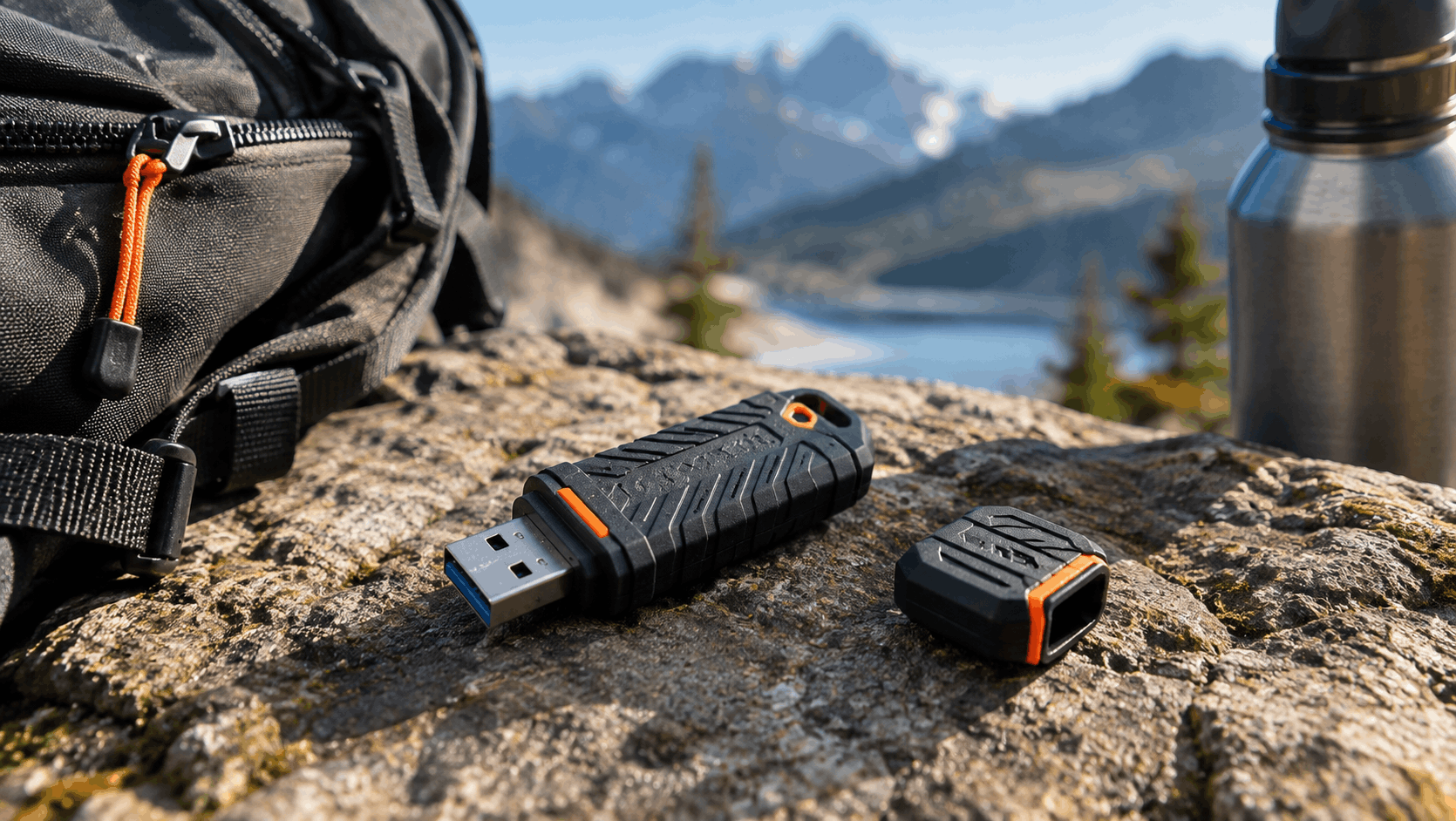
This one shows up on nearly every durability-focused roundup for a reason. The Flash Survivor Stealth uses an aircraft-grade anodized aluminum housing with an EPDM rubber seal and a screw-down cap, and it’s rated waterproof to 200 meters when properly closed, according to Corsair’s own product page. That screw-top design is the detail that actually matters. A lot of competing drives rely on a simple push-on cap, and those fail at keeping water and grit out far more often than people expect.
Speed is the tradeoff. Independent testing from itechguides clocked it at around 85MB/s read and 70MB/s write, which is genuinely slow by 2026 standards. In my experience, that’s fine for documents, photos, and general backup work, but it’s not the drive you want for shuffling large video files around regularly.
Capacities run from 16GB up through 256GB, with a 1TB version also available for people who need the space and don’t mind paying more for it.
Best for: Field work, job sites, outdoor use, anyone whose gear takes real physical abuse.
Best for Sensitive Data: Kingston IronKey D500S
If durability alone isn’t the concern and you’re also worried about someone accessing your files if the drive is lost or stolen, this is the category the IronKey D500S sits in. It’s built with a zinc alloy housing and epoxy filled internals designed to resist physical tampering, not just water and drops.
What tends to surprise people shopping in this category is how much of the “rugged” story with security drives is actually about tamper resistance rather than pure physical toughness. The epoxy fill means someone can’t easily pry the drive open to access the memory chips directly, which is a real threat model for lost devices containing confidential material.
This isn’t the drive for casual use. It costs more than a standard rugged drive, and the hardware encryption adds a layer of setup most people don’t need for personal photos or music. But for legal, healthcare, financial, or any work involving client data, it’s a genuinely different tier of protection.
Best for: Professionals carrying confidential documents, anyone who needs hardware encryption rather than software-based protection.
Best Balance of Speed and Toughness: SanDisk Extreme Pro
SanDisk’s Extreme Pro line consistently ranks among the fastest USB-A drives on the market, with itechguides reporting speeds up to 420MB/s read and 380MB/s write on their tested units. That’s not far off portable SSD territory, and it’s a real jump over the Corsair drive above.
It’s rated for water, dust, and drop resistance, though I’d put its physical toughness a notch below the Flash Survivor Stealth’s dedicated design. What you’re trading here is a bit of ruggedness for a lot more speed, and for most people doing regular file transfers alongside occasional rough handling, that trade makes sense.
Capacities range from 128GB up to 1TB, and the pricing sits in the middle of the pack for this category, not the cheapest option but far from the most expensive.
Best for: People who need speed and durability together, video editors who work in the field, anyone tired of watching a progress bar crawl.
Best Budget-Friendly Option: Samsung BAR Plus
Samsung’s BAR Plus doesn’t market itself primarily as a rugged drive, but it earns a spot here anyway. It’s built with a metal body, rated water- and shock resistant, and backed by a 5 year warranty, all while costing noticeably less than the dedicated rugged options above.
Read speeds hit around 400MB/s according to recent testing from virtual-pc.com, which is impressive for something priced this reasonably. And Samsung’s in-house NAND manufacturing tends to mean tighter quality control than brands buying components from third parties, something that matters more for long term reliability than most spec sheets let on.
It won’t survive being run over by a truck the way a dedicated rugged drive might. But for everyday carry with reasonable protection against drops and spills, it’s hard to beat the value here.
Best for: Budget conscious buyers who still want solid build quality, everyday carry rather than extreme conditions.
Comparison at a Glance
| Drive | Durability Focus | Speed | Best For |
|---|---|---|---|
| Corsair Flash Survivor Stealth | Waterproof to 200m, aircraft-grade aluminum | ~85MB/s read | Extreme physical abuse |
| Kingston IronKey D500S | Tamper-resistant, hardware-encrypted | Not speed-focused | Sensitive data protection |
| SanDisk Extreme Pro | Water-, dust-, drop resistant | Up to 420MB/s read | Speed plus durability |
| Samsung BAR Plus | Metal body, water/shock resistant | ~400MB/s read | Budget durability |
Don’t read this table as a ranking. It’s a set of trade-offs, and the right pick depends entirely on which column matters most for how you actually use the drive.
What to Actually Check Before Buying
A few things worth paying attention to that don’t always show up clearly on a product listing page.
Cap design matters more than the marketing copy suggests. A screw down cap with a rubber seal, like Corsair uses, genuinely outperforms a snap on cap for keeping water and dust out over time. Snap caps also have a bad habit of getting lost, which defeats the whole point of a waterproof rating.
“Waterproof” almost always assumes the cap is closed. None of these drives are waterproof with the port exposed, so don’t treat the rating as protection while actively connected to a device in wet conditions.
Warranty length is a decent proxy for confidence. Samsung and SanDisk both back their higher end drives with 5 year warranties, and that’s a reasonable signal the manufacturer expects the hardware to last.
USB-A versus USB-C isn’t just about the port shape. If most of your devices have moved to USB-C, and a lot of laptops have by now, factor that into which connector you actually need rather than defaulting to USB-A out of habit.
One thing worth flagging: capacity and speed specs advertised by manufacturers are ceiling numbers under ideal conditions. Real world transfer speeds, especially with lots of small files instead of one large file, tend to land noticeably below the advertised figure. That’s normal and applies across every brand here, not a defect specific to any one drive.
Who Should Skip a Rugged Drive Entirely
Not everyone needs this category. If your flash drive lives in a laptop bag most of the time and rarely leaves a climate controlled office, a standard drive from any reputable brand is genuinely fine, and you’ll save money without giving up anything you’d actually use. Rugged construction adds cost and, in some cases, bulk, for protection against scenarios that may never come up for you.
Where it earns its price is outdoor work, job sites, travel, anything involving a backpack that gets thrown around, or situations where losing the data on the drive would be a real problem rather than a minor inconvenience.
Common Questions
Is a rugged usb flash drive actually necessary for most people?
No, honestly. Most people are fine with a standard metal-bodied drive. Rugged models earn their price when your drive faces real physical risk regularly, not occasionally.
Does waterproof rating mean I can use the drive while it’s raining?
Only with the cap or cover fully closed. None of these drives are designed to stay connected to a device in wet conditions.
Are rugged drives slower than regular flash drives?
Not always, but there’s often a tradeoff. The toughest builds, like Corsair’s Flash Survivor Stealth, sacrifice some speed for protection. Drives like the SanDisk Extreme Pro manage to offer both, at a higher price point.
How long do these drives actually last?
With proper care, a good rugged drive can last well beyond its warranty period. NAND flash does have a finite number of write cycles, but for typical personal or professional use, that limit is rarely the thing that ends a drive’s life.
Should I buy based on capacity or durability first?
Durability first if the drive will face real physical risk, since a lost or damaged high capacity drive is worse than a smaller one that survives. Otherwise, buy the capacity you actually need and let durability be the tiebreaker between similarly priced options.
If I had to make one purchase for myself right now, I’d lean toward the Corsair for anything going into a bag that leaves the house regularly, and save the IronKey for the specific files that genuinely can’t afford to end up in the wrong hands.
Categories: Technology, Lifestyle
Tags: USB Flash Drives, Tech Gear, Buying Guide