





Toshiba Dynadock: What It Was and Is It Worth Buying Used
Title: Toshiba Dynadock: What It Was and Is It Worth Buying Used
Meta Description: The Toshiba Dynadock line is long discontinued, but used units still show up cheap. Here’s what it does, which model you might find, and if it’s worth it.
Article:
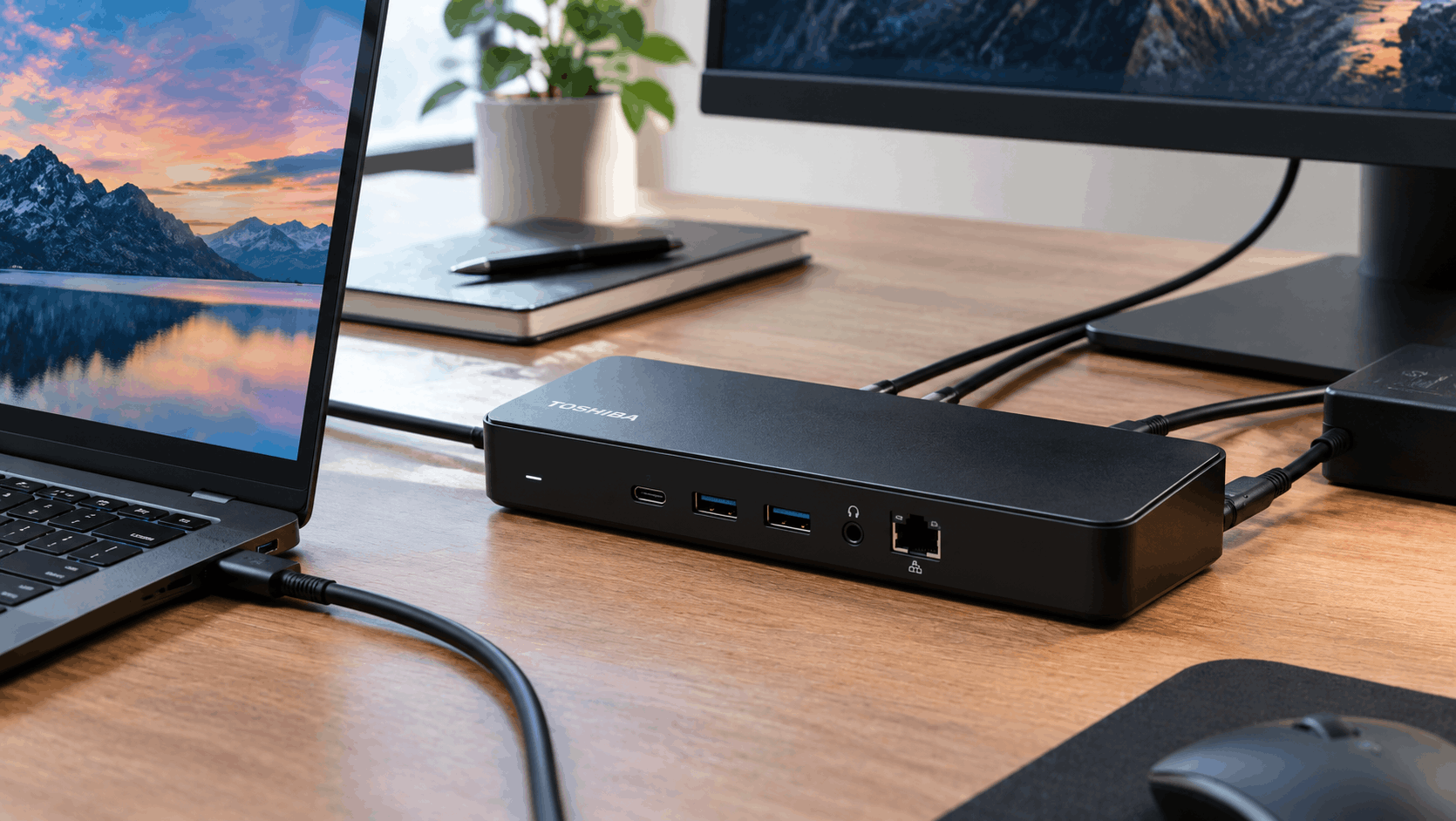
If you’ve come across a Toshiba Dynadock at a thrift store, in a drawer of old laptop accessories, or listed for cheap on eBay, you’re looking at a piece of docking station history that predates USB-C entirely. Toshiba built these as a one-cable way to turn a laptop into a desktop setup, and depending on which generation you’ve got, it might still be genuinely useful today, or it might be a paperweight with a lot of ports.
What the Dynadock Actually Does
The core idea behind every Dynadock model is simple: connect one USB cable from your laptop to the dock, and suddenly you’ve got access to external monitors, Ethernet, USB peripherals, and audio output, all without needing a laptop that supports video output over USB natively. Toshiba built this using DisplayLink technology, a chipset and driver system that compresses video data and pushes it over a standard USB connection, essentially tricking your laptop into thinking it has more video outputs than it physically does.
This mattered a lot more in the era these docks launched than it does now. Before USB-C and Thunderbolt became standard, laptops generally had one video output, maybe two if you were lucky, and no clean way to add a second or third monitor without an internal graphics card that supported it. DisplayLink-based docks like the dynadock solved that problem entirely through software and a USB connection, which is genuinely clever engineering for the time.
The Different Models You Might Run Into
Toshiba released several dynadock generations, and since the line is entirely discontinued now, whichever one you find used could be any of them.
The earliest dynadock models ran on USB 2.0, which limited video bandwidth significantly and made for a noticeably sluggish experience by modern standards, even for basic tasks like moving windows around on an external display.
Dynadock V3.0 arrived as a step up, adding USB 3.0 connectivity along with HDMI output support, which Toshiba specifically marketed as delivering faster speeds and better graphics performance than the earlier models. It launched with a manufacturer’s suggested retail price of $119.99.
Dynadock U3.0 (model number PA3927E-1PRP) is probably the version you’re most likely to find on the used market today. It stepped up further with both DVI-I and HDMI video output, support for resolutions up to 2048×1152, a built-in Ethernet port, and multiple USB 3.0 ports for peripherals. Original retail pricing on this model ran considerably higher than the V3.0, with some retailers listing an original MSRP as high as $180 before the line was discontinued and clearance pricing took over.
Toshiba also released later refresh models with slightly different port configurations, including versions with four USB-A ports alongside HDMI, DVI, Ethernet, and audio, reflecting incremental updates Toshiba made to the line before eventually discontinuing it entirely.
Where Things Stand Now
Toshiba exited the consumer laptop business years ago, with the brand’s PC division becoming independent as Dynabook, now operating under Sharp ownership. The Dynabook accessory line went with it. You won’t find a new one for sale through any official channel, and Toshiba doesn’t provide current support or updated drivers for these devices.
What you will find is a steady stream of used and refurbished units on eBay, Back Market, and similar marketplaces, generally priced anywhere from around $15 to $80 depending on condition, included accessories, and which specific model you’re looking at. In my experience, pricing on decade-old accessory hardware like this tends to track condition and completeness (original power adapter included or not) more than which exact model it is, so it’s worth checking listings carefully for what’s actually included before assuming a lower price means a worse deal.
Should You Actually Buy One Used
Here’s the honest calculation. If you’re running an older laptop that genuinely lacks multiple video outputs, and you specifically want a budget way to add an external monitor or two without buying new hardware, a used dynadock can still technically do the job, assuming you can get current DisplayLink drivers working with your operating system. That’s the real catch.
DisplayLink actively maintains and updates its own driver software independent of Toshiba, which is genuinely good news since the hardware itself isn’t abandoned at the driver level the way some other discontinued docks are. But compatibility with very old, discontinued docking hardware specifically isn’t guaranteed to stay smooth forever as operating systems evolve, so it’s worth checking DisplayLink’s current driver documentation and compatibility notes before counting on a specific model working flawlessly with a modern Windows or macOS installation.
What tends to surprise people who haven’t used DisplayLink-based docks before is that video performance over USB, even USB 3.0, doesn’t quite match what you get from a laptop with native video-out ports or a modern USB-C dock using DisplayPort Alt Mode. It’s genuinely functional for office work, web browsing, and general productivity, but fast-motion video or gaming through a DisplayLink connection tends to show more lag and compression artifacts than a direct video connection would.
When to Skip It Entirely
If your laptop already has USB-C with DisplayPort output support, or Thunderbolt, skip the dynadock entirely and get a modern dock instead. You’ll get better video performance, faster data transfer, and active manufacturer support, and modern USB-C docks in a similar price range to a used dynadock are widely available. The dynadock only makes sense as a stopgap for genuinely older hardware that has no other path to multi-monitor support, not as a general recommendation for anyone shopping for a docking station today.
It’s also worth skipping if you need reliable, guaranteed compatibility for business use. Since Toshiba no longer supports this product line at all, you’re relying entirely on DisplayLink’s ongoing driver support and your own troubleshooting if something doesn’t work correctly, which isn’t a great position to be in for anything mission-critical.
Frequently Asked Questions
Is the Toshiba dynadock still supported? No. Toshiba discontinued the entire dynadock line and no longer offers support or updated firmware. The underlying DisplayLink technology it uses is still actively maintained by DisplayLink itself, independent of Toshiba.
What’s the difference between dynadock V3.0 and U3.0? The V3.0 introduced USB 3.0 and HDMI output at a lower original price point. The U3.0 added DVI-I output alongside HDMI, higher supported resolutions, built-in Ethernet, and multiple USB 3.0 ports, at a higher original retail price.
Can I still buy a new Toshiba dynadock? No, the line is entirely discontinued. Used and refurbished units are available through marketplaces like eBay and Back Market, generally priced well below original retail.
Does the dynadock work with modern laptops? It can, as long as your laptop supports standard USB connections and you can install current DisplayLink drivers, but a modern USB-C or Thunderbolt dock will generally offer better video performance if your laptop supports either standard natively.
Is DisplayLink video quality as good as a direct HDMI or DisplayPort connection? Not quite. DisplayLink compresses video data to push it over USB, which works well for everyday productivity tasks but shows more lag and compression artifacts than a native video connection during fast motion content or gaming.
Categories: Technology
Tags: Toshiba dynadock, docking stations, DisplayLink, laptop accessories