





WiFi Booster vs WiFi Extender: What’s Really Different?
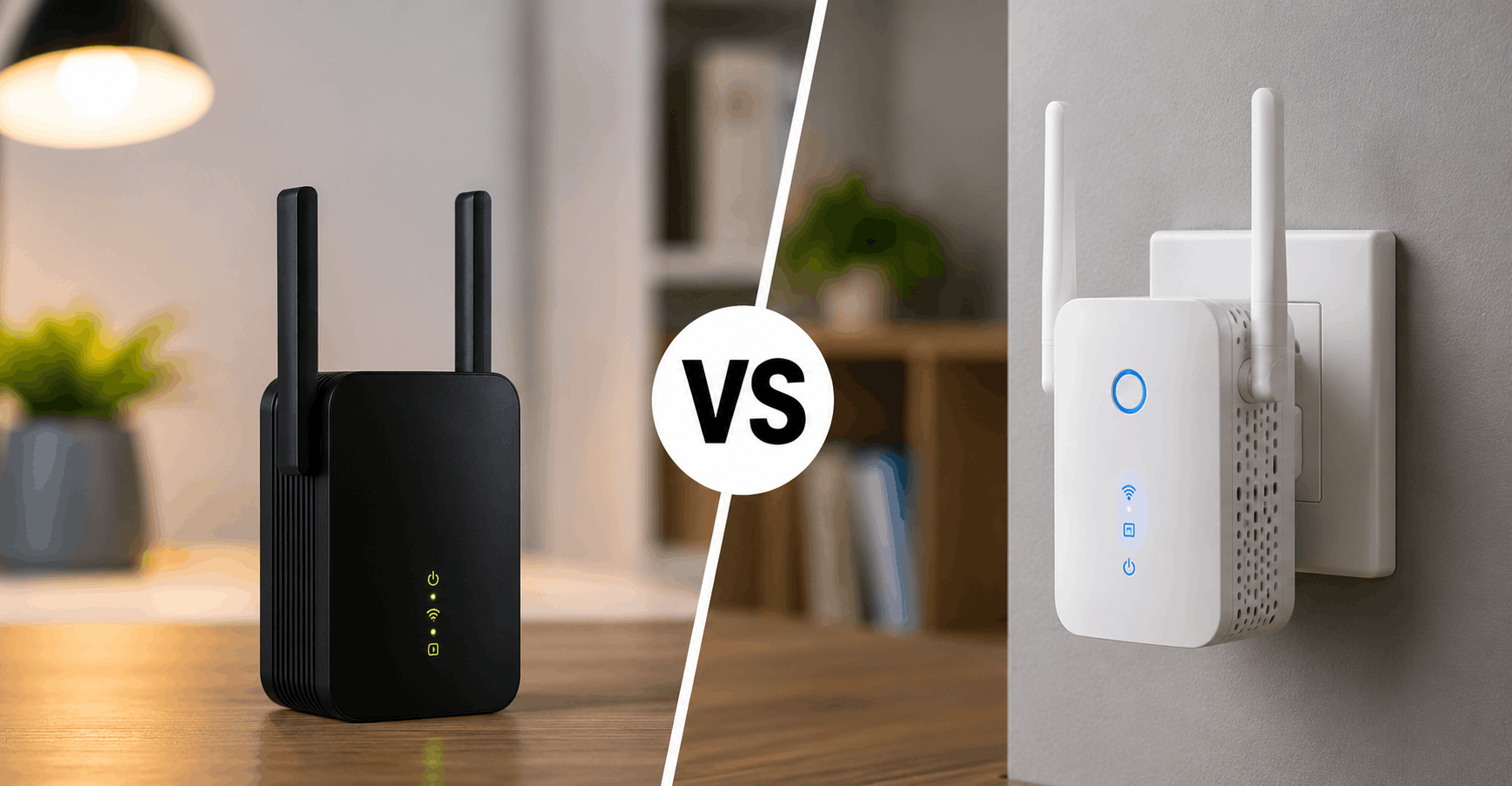
If you’ve been shopping for a fix to your dead zones, you’ve probably noticed that “booster” and “extender” get used almost interchangeably on store shelves. That’s not an accident, and it’s also kind of the whole problem. Short answer: in most cases, a wifi booster vs wifi extender are the same device wearing two different marketing labels. The real decision that matters isn’t booster vs extender at all. It’s whether you need a basic repeater or something smarter, like a mesh system.
That said, there are a few technical distinctions worth knowing before you spend your money, especially if you’re dealing with a large house, thick walls, or a router that’s already a few years old.
Quick Verdict
If you just need to kill one weak spot in a small apartment, a plug-in extender or booster will probably do the job for $20 to $40. If you’ve got multiple dead zones, several floors, or a house over 2,000 square feet, skip both and go with a mesh system instead. It costs more upfront but saves you the headache of managing two separate networks.
WiFi Booster vs WiFi Extender: Comparison Table
| Factor | WiFi Booster | WiFi Extender | Mesh System (for context) |
|---|---|---|---|
| What it actually does | Repeats and amplifies existing signal | Repeats and rebroadcasts existing signal | Creates one unified network across multiple nodes |
| Setup difficulty | Easy, usually plug-and-play | Easy to moderate | Moderate, app-guided |
| Network name | Often separate SSID | Often separate SSID | Single SSID throughout house |
| Speed loss | Noticeable, roughly 50% on single-band units | Noticeable, similar to booster | Minimal with dedicated backhaul |
| Best for | Small apartments, one dead zone | Small to medium homes | Larger homes, multiple dead zones |
| Price range | $20-$60 | $25-$70 | $150-$400 for whole-home kits |
| Roaming between rooms | Manual, you switch networks | Manual, you switch networks | Automatic |
So What’s Actually Different Between Them?
Here’s where it gets a little annoying. There’s no strict industry standard defining “booster” versus “extender.” Manufacturers like TP-Link and Netgear both sell devices under both names, and the internal hardware is frequently identical or nearly so. What you’re really buying, in either case, is a wifi range extender: a device that picks up your existing signal, boosts it, and rebroadcasts it into the dead zone.
In my experience, when a product is labeled a “booster,” it tends to lean toward simpler, single-band hardware aimed at casual buyers. “Extenders” get pitched a bit more toward people who already understand networking basics, sometimes with dual-band radios and a few extra settings. But this is a marketing pattern, not a rule you can rely on. Always check the actual spec sheet rather than trusting the product name.
There is one term that does mean something specific: a wifi repeater. That’s the more accurate technical term for what both boosters and extenders do. They don’t create new bandwidth. They just rebroadcast what’s already coming from your router, and that rebroadcasting process usually costs you some speed, because most cheaper units use the same radio to receive and transmit at the same time.
Why Extenders and Boosters Often Disappoint People
This is the part nobody tells you at the store. A lot of buyers pick up a $25 booster expecting it to fully solve their dead zone, and instead they end up with a network that’s technically reaching the room but crawling at half speed or dropping constantly. What tends to surprise people is how much that single-band bottleneck actually costs in real-world use, especially for video calls or streaming.
The other common frustration is the separate network name. Plenty of extenders create a second SSID, something like “HomeWifi_EXT,” and your device doesn’t automatically switch to it when you walk into the extended zone. You have to do that manually, which gets old fast if you’re moving around the house with a laptop or a phone.
None of this makes extenders or boosters bad products. It just means they’re a budget patch, not a full solution. For a single problem room in an apartment, they’re honestly fine. For a real coverage overhaul, they’re often the wrong tool.
When a Booster or Extender Actually Makes Sense
- You have one specific room that’s weak, not several
- You’re renting and don’t want to commit to a bigger mesh setup
- Your existing router is decent and just needs help reaching one far corner
- Budget is the main constraint
If any of that matches your situation, a wifi booster vs wifi extender debate honestly doesn’t matter much. Pick whichever one is cheaper and has decent reviews, and place it roughly halfway between your router and the dead zone, not right next to either one. Placement matters more than the label on the box.
When You Should Skip Both and Consider a Mesh System Instead
Multi-story homes are where boosters and extenders tend to fall apart. Signal has to fight through floors, ductwork, and walls, and a single extender rarely covers that kind of distance without a serious speed penalty. According to Wired’s mesh router coverage, mesh systems solve this by using multiple nodes that talk to each other, often over a dedicated wireless band or wired backhaul, so you get one continuous network instead of patchy overlapping zones.
The tradeoff is cost and setup time. A decent mesh kit runs $150 to $400 for two or three nodes, versus $20 to $70 for a single extender. But if you’re constantly walking into rooms where your phone drops to one bar, that price difference pays for itself in reduced frustration alone.
A Note on WiFi 6 and Newer Standards
If your router already supports WiFi 6, pairing it with an old single-band extender is a bit of a waste. You’ll bottleneck the whole connection down to whatever the extender can handle. It’s worth checking that any booster or extender you buy at least matches your router’s wifi standard, ideally dual-band or tri-band, so you’re not throttling a fast router with slow hardware sitting in the middle.
Placement Tips That Actually Matter
Wherever you land on the wifi booster vs wifi extender question, placement makes or breaks the result. A few things worth getting right:
Put the unit within range of a strong signal from your router, not at the edge of a weak one. If the extender itself is struggling to receive the original signal, it has nothing good to rebroadcast. Most people place these units too close to the dead zone and too far from the router, which defeats the purpose.
Avoid placing extenders inside cabinets, behind TVs, or near microwaves and cordless phones, since 2.4GHz interference is a real and common problem. And give it a day or two before judging performance. Some units need a bit of time to settle into a stable connection with the router.
WiFi Booster vs WiFi Extender: Which One Should You Buy?
For a single dead zone in an apartment or small house, either a booster or an extender labeled “dual-band” will do fine, and the brand name matters less than the specs. Check that it supports your router’s wifi standard and has decent reviews for range in a similar-sized space.
For anything bigger than that, honestly, save the money you’d spend on two boosters and put it toward a basic mesh kit instead. It solves the roaming problem, the separate-network problem, and usually the speed problem too. Sites like PCMag’s extender roundup are a good place to check current recommendations before buying, since exact models and pricing change often.
WiFi Booster vs WiFi Extender: FAQs
Is a wifi booster the same as a wifi extender? In practical terms, yes, in most cases. Both rebroadcast your existing signal into a weak area. The naming difference comes down to marketing rather than a fixed technical standard.
Does a wifi extender slow down my internet? It can, especially cheaper single-band models that use the same radio to receive and transmit. Dual-band and mesh systems handle this better because they can dedicate separate bands to each job.
How far should I place an extender from my router? Somewhere the extender still gets a strong signal from the router, usually the midpoint between the router and the dead zone. Too close to the dead zone and it won’t have anything solid to boost.
Is mesh wifi worth it over a simple extender? For larger homes or multiple dead zones, generally yes. For one small weak spot, a simple extender or booster is often enough and considerably cheaper.
Do I need to match my extender to my router’s wifi standard? Ideally yes. Pairing an older single-band extender with a newer WiFi 6 router will bottleneck your speeds down to the extender’s capability.