





Soundcore Nebula X1 Pro Review: Worth the $5K Price?
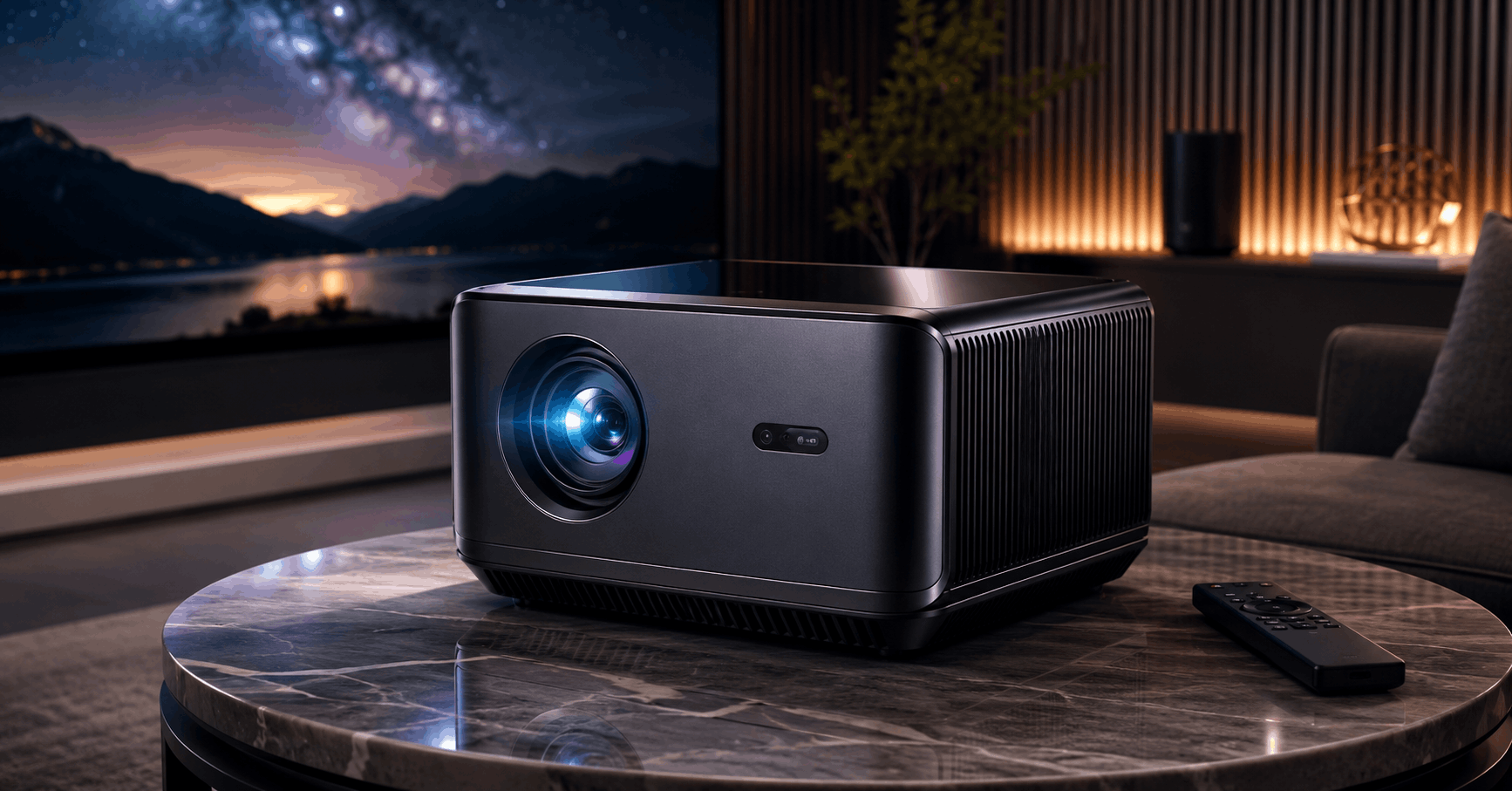
If you’ve been eyeing home theater gear lately, chances are the soundcore Nebula X1 Pro has crossed your radar. It’s hard to miss. This thing looks less like a projector and more like a piece of rolling luggage that happens to beam 4K movies onto your wall.
Anker’s Soundcore brand built this as a “mobile theater station,” and that label isn’t just marketing fluff. It’s a triple-laser 4K projector fused with a 400-watt, 7.1.4 Dolby Atmos sound system, all packed into one wheeled chassis you can drag from the living room to the backyard. No separate soundbar, no tangle of speaker wire, no juggling a projector and an audio system that never quite sync up right.
But at close to $5,000, this isn’t an impulse buy. So let’s get into whether it actually earns that price tag.
Design and Build: A Rolling Theater, Not a Travel Companion
The X1 Pro is big. We’re talking about a unit that stands roughly 30 inches tall and weighs in around 72 pounds, according to hands-on testing from Engadget. That’s not something you casually toss in a backpack. Soundcore clearly knows this, which is why the whole unit rides on built-in wheels with a telescoping handle, more like a piece of checked luggage than a typical projector.
Rolling it from room to room is genuinely easy. Getting it out of a car trunk or up a flight of stairs by yourself is a different story. One thing worth flagging here: this is “portable” in the sense that a wine fridge is portable. It moves, but it’s not light.
Build quality feels premium once you get past the size. The housing has an IP43 rating, and the detachable speakers carry an IP54 rating, so short rain exposure during an outdoor movie night won’t ruin your evening. That outdoor-friendly design is clearly intentional, and it shows in small touches like a retractable power cable and a hidden compartment for the remote and wireless karaoke microphones.
Specs That Actually Matter
Strip away the marketing language and here’s what you’re working with:
- True 4K resolution (3,840 x 2,160) via a 0.47-inch DLP chip with XPR pixel-shifting technology
- 3,500 ANSI lumens brightness, driven by a triple-laser optical engine Soundcore calls LaserForge 2.0
- 5,000:1 native contrast, up to 56,000:1 dynamic contrast thanks to a six-blade dynamic iris
- 14-element all-glass lens with 0.9:1 to 1.5:1 optical zoom
- 400W audio system: a built-in subwoofer plus four detachable satellite speakers arranged for 7.1.4 Dolby Atmos
- Google TV built in, giving you native access to Netflix and the wider Google Play app library
That brightness figure deserves some context. Most portable projectors in this price range top out well below 2,000 ANSI lumens, so 3,500 puts the X1 Pro in a different league entirely. In my experience, gear like this tends to sacrifice color accuracy to hit high brightness numbers, but reviewers have generally found the opposite here. Notebookcheck’s testing praised the image quality alongside the sound, which is a harder combination to pull off than it sounds.
Performance: Setup Is the Real Party Trick
Here’s what surprises most people who try this projector for the first time. Setup takes maybe a minute, not the twenty-minute keystone-correction wrestling match you might expect from a projector this size.
The lens sits on a motorized gimbal that tilts up to 25 degrees, and combined with autofocus, automatic keystone correction, and obstacle avoidance, the whole thing essentially aims and adjusts itself. Soundcore calls this system Intelligent Environment Adaptation, and it also handles ambient light detection and wall color adjustment automatically. Point it roughly at your screen or wall, press a button, and it does the rest.
It’s not flawless. Fine wires, overhead lighting fixtures, or oddly placed furniture can occasionally throw off the auto-alignment, and you’ll need to nudge things manually in those cases. But for a device this size, having near-automatic setup is a real advantage over traditional home theater projectors that demand careful manual alignment every time you move them.
Fan noise sits around 26dB thanks to the liquid cooling system, which is impressively quiet given the brightness output. You won’t be fighting projector hum during quiet dialogue scenes.
Audio: Where the “Pro” Really Earns Its Name
The base Nebula X1 projector is good on its own, but the Pro version’s entire reason for existing is the sound system. Four detachable satellite speakers (two front, two rear) work alongside a built-in subwoofer to deliver genuine 7.1.4 surround sound with Dolby Atmos support, something the standalone X1 doesn’t offer at all.
Soundcore’s FlexWave calibration technology uses a built-in microphone array to map your room and adjust the sound field to where you’re actually sitting. You can drag your “sweet spot” around the room and the system rebalances volume and direction accordingly. It’s a clever solution to a problem most home theater setups never solve, since most people just accept that the couch corner sounds worse than the middle seat.
The satellite speakers run wirelessly and get roughly eight hours of battery life when detached, which matters because the main unit itself has no internal battery. That’s a real limitation worth noting upfront, since outdoor use requires either AC power or a compatible portable power station rated above 335W. Soundcore sells a bundle with its own SOLIX C1000 power station for exactly this reason, though it adds significant cost on top of an already expensive device.
Software and Smart Features
Google TV runs the show here, which means you get a familiar interface and full access to Netflix, YouTube, and most major streaming apps without a separate streaming stick. That’s a genuine convenience compared to older Nebula models that leaned on a more limited proprietary OS.
Connectivity is fairly basic for a device at this price. There’s a single HDMI 2.1 port with eARC support, plus USB-C ports for file playback and charging accessories. One thing worth flagging: with only one HDMI input, you’ll need an HDMI switch if you’re connecting more than one external device like a game console and a cable box.
The included wireless microphones add a karaoke mode with AI vocal removal, which is a fun bonus feature that a lot of buyers probably won’t use daily, but it’s a nice touch for parties.
Price and Availability
As of early 2026, the soundcore Nebula X1 Pro carries an MSRP of $4,999.99 for the core system, confirmed on Soundcore’s official product page. Bundles that include the inflatable outdoor screen or the SOLIX power station push the price up toward $6,999 depending on configuration. Given how frequently pricing shifts on Anker and Soundcore products, it’s worth checking the official listing before buying, since promotional bundles change often.
For comparison, the standalone Nebula X1 projector (without the integrated speaker system) launched at $2,999, according to TechRadar’s review. That’s a meaningful price gap, and it tells you the audio system alone accounts for roughly $2,000 of the Pro version’s cost.
Pros and Cons
What works:
- Exceptional brightness and color accuracy for a portable-style projector
- Genuinely automatic setup that saves real time
- Integrated 7.1.4 Dolby Atmos sound eliminates the need for a separate soundbar
- Quiet operation thanks to liquid cooling
- Outdoor-rated build with IP43/IP54 protection
What doesn’t:
- Heavy and awkward for true portability, despite the wheels
- No internal battery, so outdoor use requires extra equipment
- Single HDMI port limits multi-device setups
- Expensive enough to rule out casual buyers
- Occasional Wi-Fi hiccups reported with the Google TV interface
Who Should Actually Buy This
If you host movie nights regularly, especially outdoors, and you’ve been mentally adding up the cost of a good projector plus a separate surround sound system, the X1 Pro consolidates both into something that’s genuinely easier to live with. It’s built for people who want the theater experience without permanently mounting anything to a wall or ceiling.
Skip it if you already own a solid home theater setup, since duplicating an existing sound system is wasted money. It’s also not the right pick if true portability (something you’d casually carry on a trip) matters more than raw performance. For that, a lighter, cheaper projector without the integrated Dolby Atmos hardware makes more sense.
Alternatives Worth Considering
The Valerion VisionMaster Pro 2 is the closest triple-laser competitor in terms of raw specs, though it’s built more as a stationary home theater projector than something you’d move around often. If the sound system isn’t a priority, the standalone Nebula X1 saves roughly $2,000 while keeping the same projector core. Buyers who want simplicity might also look at established ultra-short-throw projectors from brands like Epson or LG, though none replicate the X1 Pro’s specific combination of brightness, portability, and built-in surround sound.
FAQs
Does the Nebula X1 Pro have a battery? No. It requires AC power or a compatible external power station rated above 335W for outdoor use. The detachable satellite speakers do have their own battery, lasting around eight hours.
Can I use it as a Bluetooth speaker without the projector on? Yes, the audio system works independently in a standalone speaker mode.
Is it worth the price over cheaper alternatives? That depends on whether you value the all-in-one convenience. If you’d otherwise buy a decent projector and a separate surround sound system, the combined cost often lands close to what Soundcore charges here, just with more cables and setup hassle.
Does it support gaming? It tops out at 4K 60Hz, so it’s not built for high-refresh-rate gaming, but casual gaming works fine.